No pressure, no hype
We avoid misleading “optimizer” claims and keep the site focused on GPU testing and safety.
FurMark is a legitimate GPU stress test and benchmark utilityits value comes from applying a heavy rendering load. That intensity also means responsible-use guidance and download integrity matter. This page explains how we approach legality, ethics, transparency, and safe benchmarking mindset.
We avoid misleading “optimizer” claims and keep the site focused on GPU testing and safety.
Stress tests generate heat. Monitor temps and stop on instability or runaway thermal behavior.

FurMark is intended for lawful personal and professional use in standard diagnostic and benchmarking contexts, such as: validating a new GPU installation, checking cooling performance after hardware changes, confirming overclock/undervolt stability, and running repeatable benchmarks to compare configurations.
FurMark’s purpose is GPU evaluation under load. We present it as a specialized testing tool and avoid language that pushes reckless behavior.
Stress testing can push hardware hard. You are responsible for monitoring temperatures and system behavior, using sane durations, and stopping the test if unsafe conditions appear. This website provides education and guidancenot instructions for reckless hardware abuse.
Runaway thermals, artifacts, driver resets, crashes, freezes, or any unsafe signal.
Avoid unattended testing. Keep sensors visible and treat warnings seriously.
Software trust is built on clarity: where the tool came from, how it’s distributed, and how users can validate what they downloaded. This site focuses on transparency without inventing legal specifics.
If exact licensing details are not provided in verified source material, we do not guess. We focus on origin and integrity practices instead.
Utility downloads should have consistent filenames, version context, and a clear path back to a reputable release source.
When hashes are provided, use them. When they aren’t, rely more on source reputation and consistency across release information.
Practical implementation: see Download integrity guidance.
FurMark is positioned here as a legitimate GPU stress testing and benchmarking utility. However, “legitimate tool” does not mean “blind trust.” Users should verify source and integrity and treat security warnings responsibly.
For step-by-step actions, use the antivirus warnings guide.
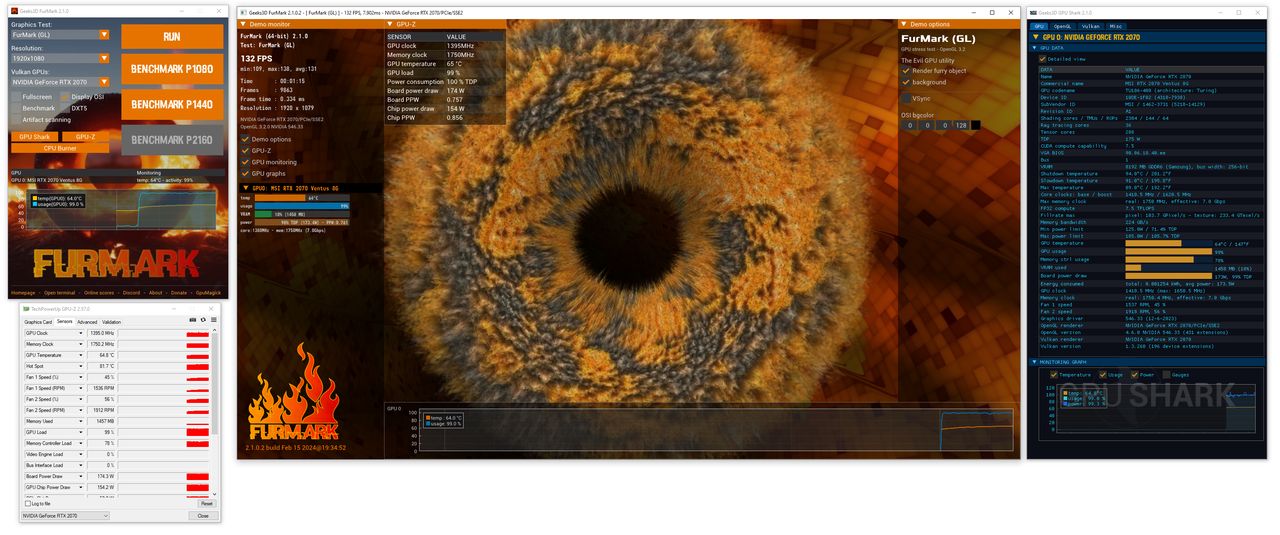
People often search for stress-test tools while troubleshooting instability or overheating. That context makes it easier to fall into misleading “fix everything” claims or risky downloads. A trust-oriented site should reduce pressure and increase clarity.
FurMark is a GPU stress test and benchmark utilitynot a cleaner, not a driver updater, not a magic FPS booster.
Provide version context, integrity education, and safe-use steps without pressure tactics.
Heavy load requires monitoring, stop conditions, and short supervised sessionsespecially for new users.
Integrity checks help you confirm that a downloaded file matches what a publisher intended to distribute. They reduce uncertainty when downloads are interrupted, mirrored, or flagged by reputation systems.
When hashes are provided
Compute the hash of your download and compare it to the published value. A match supports file integrity.
When hashes are not provided
Rely more on source reputation, consistent release pages, and avoiding repackaged installers.
A balanced view
Integrity checks are one signal. Don’t ignore security warningsuse verification and reputable sources together.
Implementation details are on Download → Integrity.
Trustworthy utility sites avoid language that resembles unsafe “download pages.” This site intentionally avoids:
If you want practical, non-hyped guidance, start with best practices.
Overclocking and undervolting can be valid optimization techniques, but validation should be methodical. FurMark can help you test stability under heavy loadif you approach it with restraint.
Adjust one variable (clock/voltage/fan curve) and validate with short, monitored runs before changing anything else.
Look for a stable temperature plateau and stable behaviordon’t chase the hottest possible run.
Artifacts, crashes, and runaway thermals are not “normal.” End the run, reduce intensity, and reassess.